
How to Use Telegram — A Complete Beginner's Guide
- 22 hrs ago|
- By Yjagadeesh
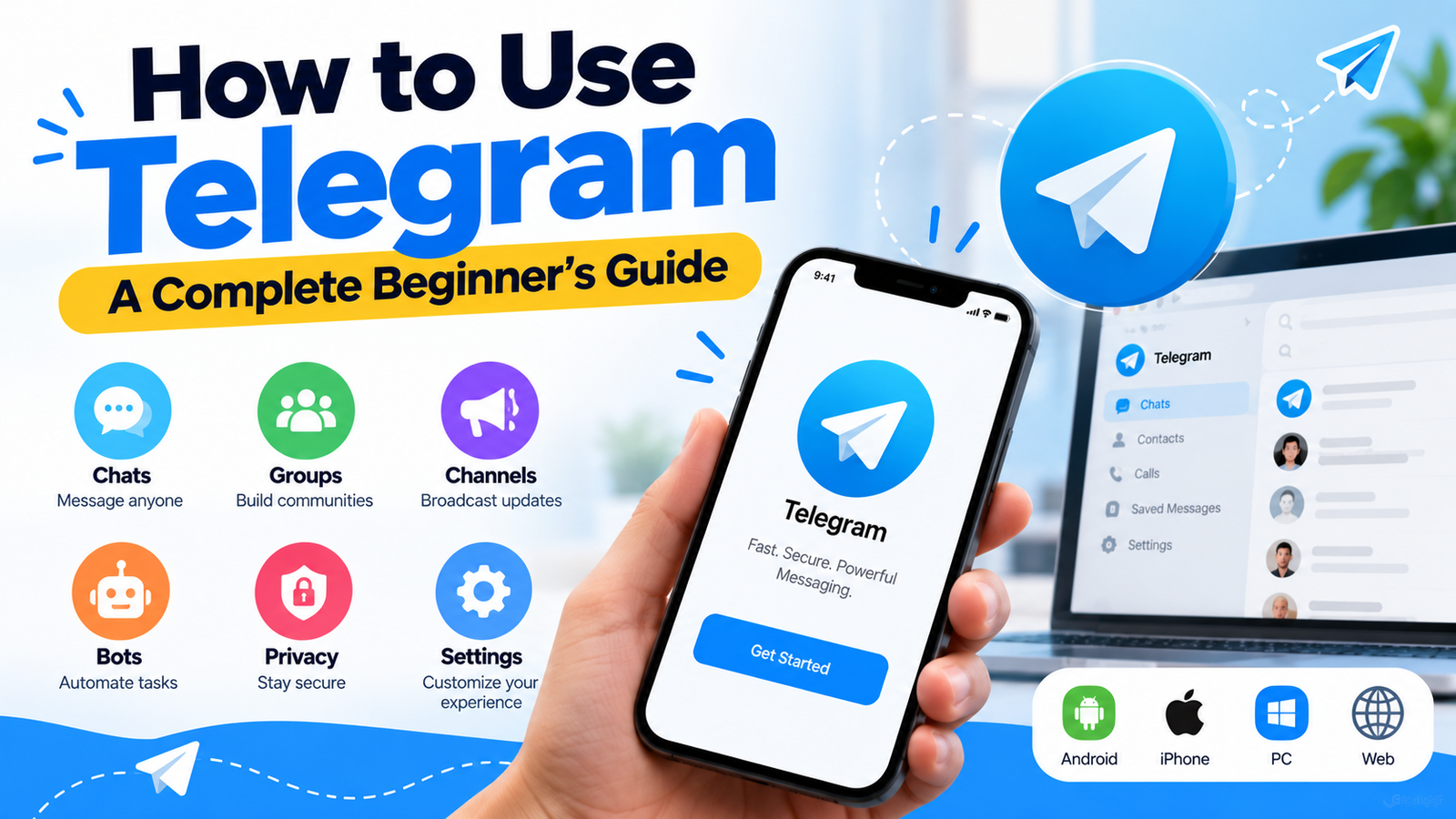
How to use Telegram starts with downloading the app, verifying with a phone number, and exploring its core tools, channels, bots, groups, and privacy-focused secret chats, all free and available across every major platform.
This guide covers exactly what you need:
- Setup and core features — downloading, verifying, and navigating the app
- Using Telegram without exposing your personal number — the real options that work
- VPNs, proxies, and anonymous usage for restricted regions or extra privacy
- Channels, bots, and secret chats explained clearly
- Common login issues and how to fix them
What Is Telegram and How Does It Work?
Telegram is a free, cloud-based messaging app offering text, voice, and video chat alongside groups scaling up to 200,000 members and channels that reach unlimited subscribers. Unlike apps that only encrypt messages end-to-end by default, Telegram stores regular chats on its own servers, syncing them instantly across every device you sign into with end-to-end encryption reserved specifically for its optional Secret Chats feature.
How to Download and Set Up Telegram
Download Telegram from the App Store, Google Play, or telegram.org for desktop. Registration must start on mobile open the app, enter a phone number, and verify with the SMS or call code Telegram sends. As of January 2026, Telegram added passkey login as an option for returning sign-ins, but a phone number is still required to create the account in the first place.
How to Use Telegram App — Core Features Explained
Once set up, the core interface covers four areas: Chats for one-on-one and group conversations, Contacts synced from your phone (optional), Settings for privacy and notification controls, and the search bar for finding people, bots, and public channels by username. New users typically start by setting a username in Settings, which becomes your shareable handle at t.me/yourusername.
How to Use Telegram Without a Phone Number
Telegram's own FAQ is direct about this: a phone number is the only way it identifies an account, so there is no way to register with zero phone number involved. What you can do is avoid using your personal number. The only fully official SIM-free route is a Fragment anonymous number a blockchain-based +888 number purchased through a connected TON wallet, which completes verification without ever touching a real SIM.
How to Use Telegram Without Phone Number — Alternative Methods
Beyond Fragment, three practical alternatives exist: a virtual number from a service like Google Voice, a secondary or burner SIM inserted temporarily for verification, or a landline number capable of receiving a voice call with the code. Comparing Telegram with other messaging apps can also help you decide which platform best fits your privacy and communication needs.
How to Use Telegram With a VPN
A VPN routes your Telegram traffic through an encrypted tunnel to a server in another location, which is useful in countries where Telegram is slowed, blocked, or monitored. Install a reputable VPN app, connect to a server before opening Telegram, and the app should load normally through that connection. This also helps mask your IP address from anyone monitoring network traffic, though it does not change anything about how Telegram itself encrypts your messages.
Android users can also review Google's instructions for connecting to a VPN on Android
How to Use Telegram Proxy for Restricted Regions
Telegram also supports its own built-in proxy system, separate from a full VPN. Go to Settings → Data and Storage → Proxy, then add a SOCKS5 or MTProto proxy using credentials from a trusted proxy provider or public proxy list. MTProto proxies are specifically designed for Telegram and tend to be faster than a general VPN for this single purpose, making them a popular choice in regions where the app is actively restricted.
How to Use Telegram Channels
Channels are one-way broadcast tools, an admin posts, and subscribers read, with no reply option in the main feed unless comments are explicitly enabled. To create one, tap the pencil or plus icon, select New Channel, choose public or private, and set a name and optional username for discoverability. Public channels are searchable by anyone; private channels require an invite link to join.
How to Use Telegram Bots
Bots are automated accounts built for specific tasks, polls, reminders, content delivery, or moderation. Find one by searching its username (bots typically end in "bot") or through a link shared by a channel or group. Tap Start to activate it, after which most bots respond to simple text commands beginning with a forward slash, such as /help to see what a given bot can do.
How to Use Telegram Secret Chats for Extra Privacy
Secret Chats are Telegram's one true end-to-end encrypted feature, regular cloud chats are not encrypted this way by default. To start one, open a contact's profile, tap the menu, and select Start Secret Chat. These conversations are device-specific (they do not sync across your other devices), support a self-destruct timer, and block screenshots notifications on supported platforms.
If privacy is a priority, you can also explore secure mobile messaging apps when comparing alternatives.
How to Use Telegram Anonymously
For maximum anonymity, combine several of the methods above: register with a Fragment anonymous number or a non-personal number, set your phone visibility to Nobody, avoid syncing your phone contacts, use a username instead of sharing your number, and connect through a VPN or Telegram proxy. No single step achieves full anonymity alone, it is the combination that matters.
Telegram Login — Common Issues and Fixes
The most common login problems are a verification code that never arrives (check your signal, try the call option instead of SMS, or wait the full retry window before requesting another), being logged out of Desktop unexpectedly (re-verify from your phone, since Desktop sessions depend on the mobile-linked account), and forgetting which number was used for signup when it was a virtual or secondary number set up months earlier.
Telegram App Download — Available Platforms
Telegram is available on iOS and Android through their respective app stores, on Windows, Mac, and Linux as native desktop apps, and through Telegram Web, which requires no installation at all. Registration itself must happen through the mobile app or Telegram Web's QR-based login, desktop apps alone cannot complete the initial phone verification.
How to Use Telegram for Business Communication
Telegram's channels and large group capacity make it genuinely useful for broadcasting updates or building a community, but it was not built with business-specific controls, no admin audit logs, no role-based permissions beyond basic admin roles, and no enterprise compliance features. For internal team communication specifically, a platform built for business use typically offers stronger administrative oversight than a consumer messaging app repurposed for that role.
Businesses comparing communication solutions can also explore top collaboration apps when looking for tools that support workplace communication and collaboration.
Telegram Tips Every Beginner Should Know
- Set a username immediately — it is the cleanest way to be reachable without sharing your number
- Enable two-step verification in Settings → Privacy and Security for an extra password layer beyond the SMS code
- Mute noisy groups individually rather than turning off all notifications
- Use folders to separate work, personal, and channel-heavy chats once your chat list grows large
- Remember Secret Chats don't sync — a secret conversation started on your phone won't appear on desktop
Conclusion
How to use Telegram boils down to a short list of decisions: how you want to register, how visible you want your number to be, and which of its many features, channels, bots, secret chats actually fit what you're trying to do.
Quick recap:
- Setup requires some phone number, but it never has to be your personal one
- Fragment anonymous numbers are the only official SIM-free registration route
- A username plus hidden phone visibility is what actually protects your privacy long-term
- VPNs and Telegram's own proxy system both help in restricted regions, with proxies often faster for Telegram specifically
- Secret Chats are the only encrypted-by-default feature — regular chats are not
Start with the basics, set your username and privacy settings early, and layer in channels, bots, or secret chats as you actually need them.
Frequently Asked Questions (FAQs)
Q1. Can I use Telegram without a phone number at all?
No Telegram's own FAQ confirms a phone number is required to verify any account, with no way around that at registration. What you can do is avoid using your personal number by registering with a Fragment anonymous number, a virtual number, a secondary SIM, or a landline, then hiding that number entirely through Settings → Privacy and Security once your account is set up.
Q2. How do I use Telegram with a VPN or proxy?
For a VPN, connect to a server through any reputable VPN app before opening Telegram, which routes all your traffic through an encrypted tunnel. For Telegram's own proxy system, go to Settings → Data and Storage → Proxy and add a SOCKS5 or MTProto proxy. MTProto proxies are built specifically for Telegram and are often faster than a general VPN for this single purpose.
Q3. Are Telegram secret chats actually private?
Yes, Secret Chats are Telegram's only feature with end-to-end encryption by default, regular cloud chats are not encrypted this way. Secret Chats are device-specific, meaning they don't sync to your other devices, support a self-destruct timer, and block screenshot notifications on supported platforms. Regular group chats and channels do not carry this same level of encryption.
Q4. How do I use Telegram bots?
Search for a bot's username, which typically ends in "bot," or follow a link shared by a channel or group you trust. Tap Start to activate it, then interact using simple text commands beginning with a forward slash, such as /help, to see what that specific bot can do. Bots handle tasks like polls, reminders, and automated content delivery.
Q5. Can Telegram be used for business team communication?
Telegram's large group and channel capacity make it useful for broadcasting updates, but it lacks business-specific controls like audit logs and granular role-based permissions. For internal team communication where security and administrative oversight matter, a platform purpose-built for business use typically offers more appropriate controls than a consumer app adapted for that role.